KUNAI DUELS Controls Guide
Input priorities for every platform so movement and throws stay reliable.
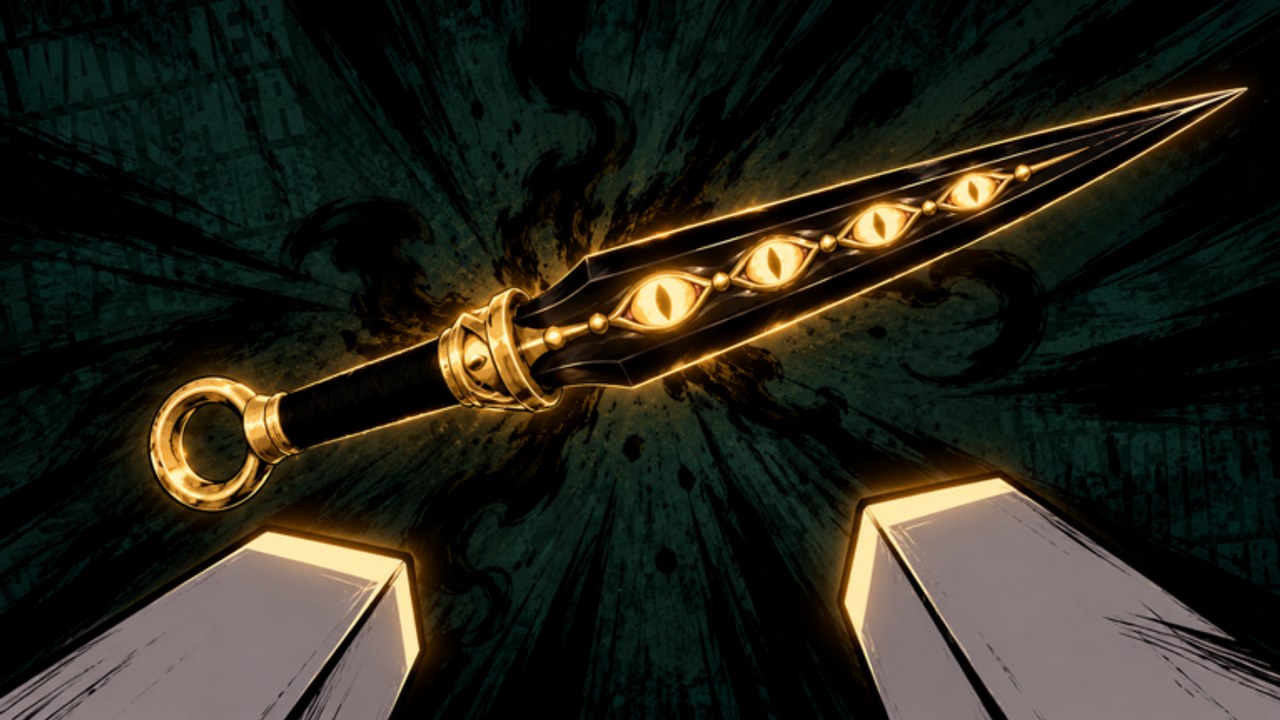
This KUNAI DUELS controls guide focuses on how to bind and prioritize inputs on PC, phone, tablet, and controller. The Roblox experience from DOZER Games (creator Delus) is a movement-heavy throwing arena: every round ends on one clean hit, so your throw button, camera, and movement tools must stay conflict-free. Use this page with How to Play for lobby flow and the Movement Guide for tech drills.
Control philosophy before key names
Exact Roblox key labels change with device presets, so memorize priorities instead of only letters:
- Camera stability — you cannot land headshots if the reticle jumps every time you wall-run.
- Movement first — wall-run, slide, and leap create the angle; the throw finishes it.
- One deliberate throw — spam inputs waste the round when a single connect already wins.
- Consistent sensitivity — keep the same value for at least a week while learning.
If you change binds mid-session every time you lose, you are training nothing. Lock a layout, then practice.
Shared actions you must map cleanly
Regardless of platform, confirm you can perform these without fighting yourself:
| Action | Why it matters |
|---|---|
| Aim / look | Head height tracking for clean hits |
| Throw kunai | Round-winning input |
| Wall-run mount / stick | Vertical routes and wall-run throws |
| Slide | Break pre-aim and change hitbox timing |
| Leap / jump commit | Mid-air kill setups |
| Sprint / move modifiers | Reach pads and rotate between rounds |
| Menu / emotes (secondary) | Never collide with throw |
Open Roblox settings before your first serious queue and test each action in the lobby. Then warm up with the eight-minute routine on the Movement Guide.
PC controls tips
Mouse and keyboard usually climb fastest because flick precision is high.
- Place throw on a finger that does not leave movement WASD awkwardly mid-wall.
- Keep slide and leap on keys you can hit while strafing — pinky or thumb macros that steal aim focus are traps.
- Raise DPI or in-game sensitivity only in small steps; big jumps destroy wall-run camera control.
- Disable overlapping Roblox emote hotkeys if they steal your throw finger.
- Use a wired or low-latency connection; one-hit rounds punish packet spikes harder than slow RPG combat.
After binds feel natural, queue 1v1 from a duel pad so every miss is clearly your timing, not team chaos. Mode choice detail lives on Modes Guide.
Mobile and tablet controls tips
Touch layouts win when widgets are large enough to hit while wall-running.
- Enlarge jump / slide / throw buttons so thumbs do not miss mid-air.
- Prefer a two-thumb or claw grip you can sustain for a full match of rounds.
- Turn off aggressive auto-rotate if it flips the HUD during leaps.
- Lower graphic noise if heat throttling makes throw timing stutter.
- Practice throw-only drills standing still for one minute, then add slide, then add wall-run.
Tablet players often get a stability edge over phones because of screen size. Either way, treat the device as first-class — the experience advertises PC, phone, tablet, and controller support for a reason.
Controller controls tips
Controllers shine when stick sensitivity and trigger throws are tuned together.
- Map throw to a trigger or bumper you can press without losing stick aim.
- Test whether toggle sprint or hold sprint keeps wall-runs more consistent for you.
- Raise stick deadzones slightly if micro-jitter ruins head tracking.
- Avoid putting slide and leap on the same awkward chord that also fires throw.
- Recalibrate if you hot-swap between console-style pads and keyboard the same night.
Controller players should still claim daily rewards before long queues so menu navigation becomes muscle memory too.
Sensitivity and crosshair height
Controls are useless if the camera fights you.
- Idle reticle at expected head height while grounded.
- During wall-runs, micro-adjust instead of yanking from the floor plane.
- After slides, expect opponents to hold low — raise again on exit.
- For leap throws, pre-place the reticle where the torso or head will be at release.
These habits pair with How to Win conversion tips. Fancy skins from cases do not aim for you — see Trading and Skins.
Lobby inputs that beginners miss
Before combat binds matter, confirm you can:
- Step on a duel pad or press PLAY DUELS without opening the wrong menu
- Open rewards / challenges UI for dailies
- Back out of cosmetic menus quickly when a friend is ready to queue
- Leave a match cleanly without rage-quit loops that skip the next warm-up
Getting Started covers the first-hour checklist; this page assumes you already joined the official experience.
Common control mistakes
- Binding throw next to an emote that fires by accident mid-duel
- Changing sensitivity after every loss
- Playing claw on mobile with buttons too small for leap commits
- Holding jump spam instead of intentional leaps
- Ignoring deadzones until aim feels “random”
- Alt-tabbing to unverified Codes Hub lists mid-match while a round is live
Fair-play note on “helper” tools
Third-party executors that auto-aim or remove throw cooldown are cheating. The game rule is clear: cheating or farming with alts = permanent ban, no appeals. Read the Scripts Hub only as documentation, then return here and train real inputs.
Practice plan for controls (one session)
- Five minutes in lobby confirming every mapped action.
- Two minutes throw-only at a static marker.
- Five minutes wall-run with midpoint throws.
- Five minutes slide-entry peeks.
- Three 1v1 rounds focused only on not misclicking menus or emotes.
Then advance into mode strategy on Modes Guide and patch awareness on the Updates Hub.
Related pages
- How to Play — pads, PLAY DUELS, round flow
- Movement Guide — wall-run, slide, leap chains
- How to Win — headshots and match habits
- Daily Rewards Guide — claim loop before queues
- Guides Hub — full tutorial map
Clean controls make clean hits possible. Lock your layout, protect your throw finger, and let movement create the angle before you release.
Frequently Asked Questions
Quick answers for duelists learning KUNAI DUELS.
What platforms does KUNAI DUELS support?
PC, phone, tablet, and controller are all supported. Pick one layout and keep sensitivity stable while you learn.
Which input should I prioritize first?
Camera stability and a reliable throw bind. Then ensure wall-run, slide, and leap never fight that throw input.
Should I change sensitivity after every loss?
No. Keep the same sensitivity for at least a week so muscle memory can form, then adjust in small steps only.
Do scripts help me learn controls?
No. Aim scripts risk a permanent ban with no appeals. Train fair inputs and use the Movement and How to Win guides instead.
Where do I go after controls feel comfortable?
Drill the Movement Guide, then read Modes and How to Win so your binds turn into round majors.